
Velum
Your Mac, on the screen in your hand.
Velum is a remote desktop app for iPhone, iPad and Mac. It connects to the Screen Sharing built into macOS, or to a VNC server.
Velum is in beta. Install it with TestFlight, Apple’s app for testing betas.
The picture
Every pixel. Every colour.
With a Mac’s own Screen Sharing, Velum shows the screen in Display P3 colour and, at High quality, in HiDPI, with the Mac’s sound. Small type stays sharp, and photographs keep their colour.
Sharp where it counts.
At High quality, Velum asks the Mac for a HiDPI display, twice the pixels per point, so small type and thin lines arrive as the Mac draws them.
Display P3 colour.
On a screen that shows P3, the Mac’s colours come through in P3.
Sound, and quality that fits.
At High quality the Mac’s sound plays on your device, and you can mute it. Auto picks the highest quality that stays smooth, or choose High, Medium or Low for each computer.
A display of its own, or all of them.
On iPad and Mac, the Mac makes a display for the session in the shape of Velum’s window. When a session shows the Mac’s own monitors, as with Curtain Mode, pick one or see them all.
Control
Trackpad, keys and modifiers. On glass.
Velum’s control bar holds what a Mac needs from your fingers: Escape, Tab, the arrow keys and the modifiers, the keyboard and the way you point. Its menu has the rest, and the Mac’s own commands, from Mission Control to Lock Screen.
Modifiers that stay held.
Command, Option, Control and Shift stay down until you press the key, for any shortcut on the Mac.
Trackpad, Touch or a keyboard.
Point as on a trackpad, or tap right where you want to click, and pinch to zoom. On iPad, a keyboard, trackpad or mouse works as on a Mac.
Copy here, paste there.
Text copied on the Mac arrives on your iPhone or iPad on its own. To send yours, choose Paste in the session’s menu.
The library
Every Mac you have, at a glance.
Velum finds the Macs on your network by itself. Each card shows the last picture of its screen, taken only during your own sessions.
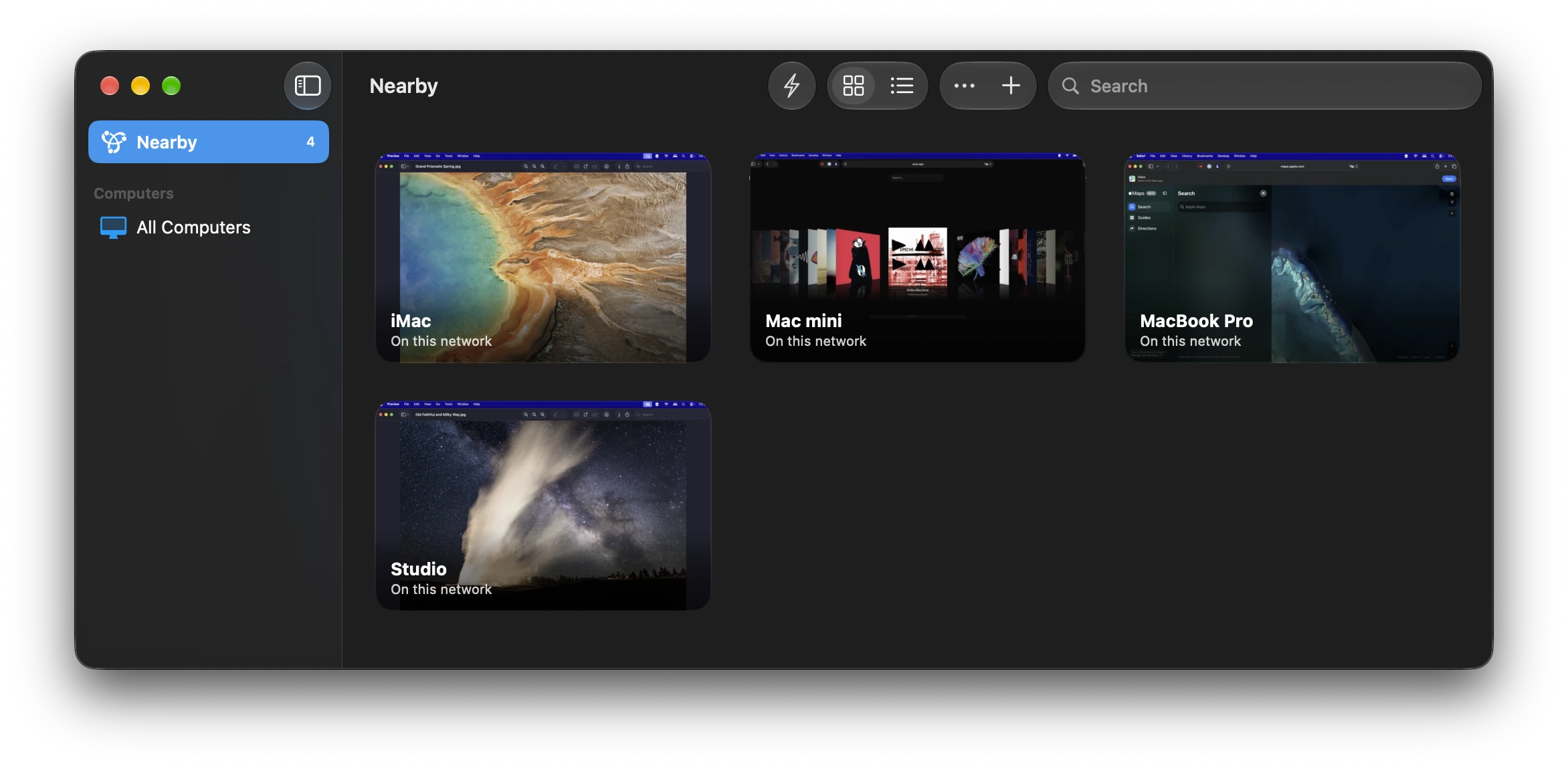
Found on your network.
A Mac with Screen Sharing on appears by itself, and so does a VNC server that announces itself.
The same library everywhere.
Your computers, their groups and their order stay the same on your iPhone, iPad and Mac through iCloud, and their passwords through iCloud Keychain.
Keep going
Switch apps. Stay connected.
Leave Velum and the session keeps going in a Picture in Picture window over whatever you open next. On iPad, each session can have a window of its own, side by side.

Privacy
Your Mac stays yours.
Curtain Mode hides the Mac’s screen while you work on it. Velum has no account, sends no analytics and tracks nothing. It talks to your computers, and to us only when you send a report.
Curtain Mode.
Turn on Require Curtain Mode for a Mac, and Velum shows nothing until the Mac confirms its screen is hidden. If it can’t, the session ends.
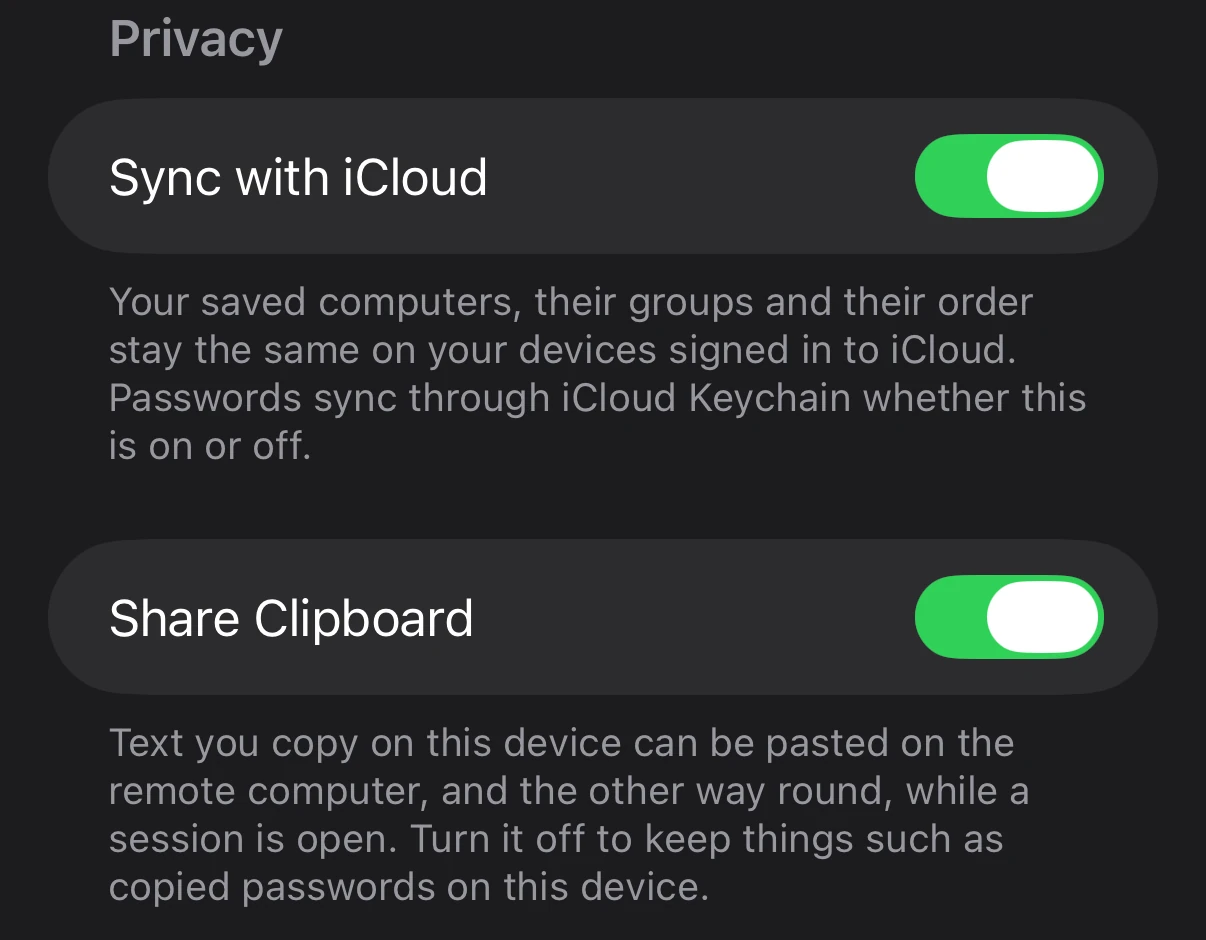
A switch for each.
The shared clipboard, the screen thumbnails and the library in iCloud each have their own setting. Turn the thumbnails off, and the ones taken are deleted.
Velum for Mac
The window is the other Mac.
On a Mac, a Velum window is the remote screen and nothing else. Mouse and keyboard go straight through while it is in front, and so do system shortcuts like ⌘Tab and ⌘Q.
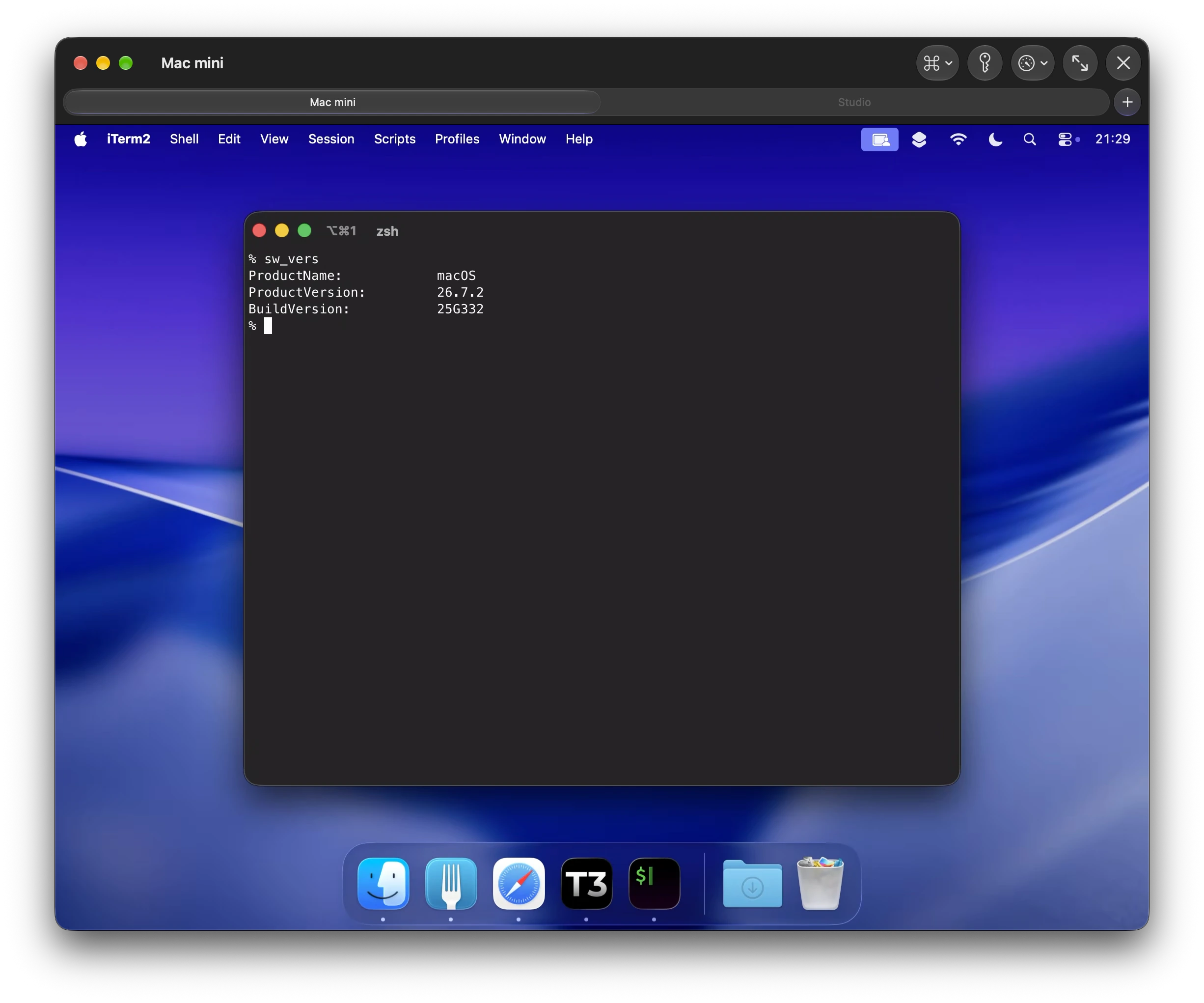
Tabs and full screen.
Several computers in one window, a tab each, or one filling your screen. Velum can be your Mac’s app for vnc:// links.
Your keyboard back.
Press ⌃⌥K to release the keyboard to your own Mac, whatever the other one is doing.
Questions.
What do I need on my Mac?
Turn on Screen Sharing in System Settings, under General, then Sharing. Sign in from Velum with a user account on that Mac. For Curtain Mode, turn on Remote Management instead.
Can I reach my Mac when I’m away from home?
Velum connects over your network. Away from home, turn on a VPN you already use to reach that network, and connect to your saved Mac as you do at home. Nearby lists only the computers on the network you are on.
Does Velum work with Windows or Linux?
Yes, with a VNC server that asks for a VNC password or none. Sound, HiDPI and Display P3 colour come only from a Mac’s own Screen Sharing.
What is Curtain Mode?
It hides the Mac’s screen while you work on it, so nobody in the room sees what you do. Turn on Require Curtain Mode in a computer’s settings. The Mac needs Remote Management on, and if Velum can’t confirm the screen is hidden, it closes the session. With Curtain Mode the session shows the Mac’s own display, without HiDPI or sound.
Are my passwords and computers synced?
Passwords are kept in the Keychain and sync through iCloud Keychain. Your saved computers, groups and their order sync through iCloud too, which you can turn off in Velum’s settings.
Get Velum.
For iPhone, iPad and Mac. Velum is free.
iPhone with iOS 26, iPad with iPadOS 26 and Mac with macOS 26, or later.